
How do I get verified on Spotify?
Verifying your artist profile on Spotify is essential. In 1 minute, we explain how to do it and why it matters so much.
Being a verified artist on Spotify is about more than just getting a little blue tick next to your name. Verification gives you access to additional features and greater control over your profile.
Why does it matter? Well, Spotify verification gives you access to the Spotify for Artists platform. This is essential for growing your audience on one of the world's leading streaming platforms. You will be able to access key features such as:
- Editing your artist photo and biography.
- Accessing Spotify for Artists analytics tools.
- Creating your artist playlists.
- Creating promotional campaigns
How do you do it?
IMPORTANT, you must have uploaded songs to your profile before requesting verification. During the process, Spotify will ask you to sign in with the credentials you use for the music aggregator through which you uploaded your songs.
To get started, visit the Spotify for Artists website and sign in at the top right with your standard Spotify user account (the one you use to listen to music). Then click your name at the top right and select “Claim your profile”.
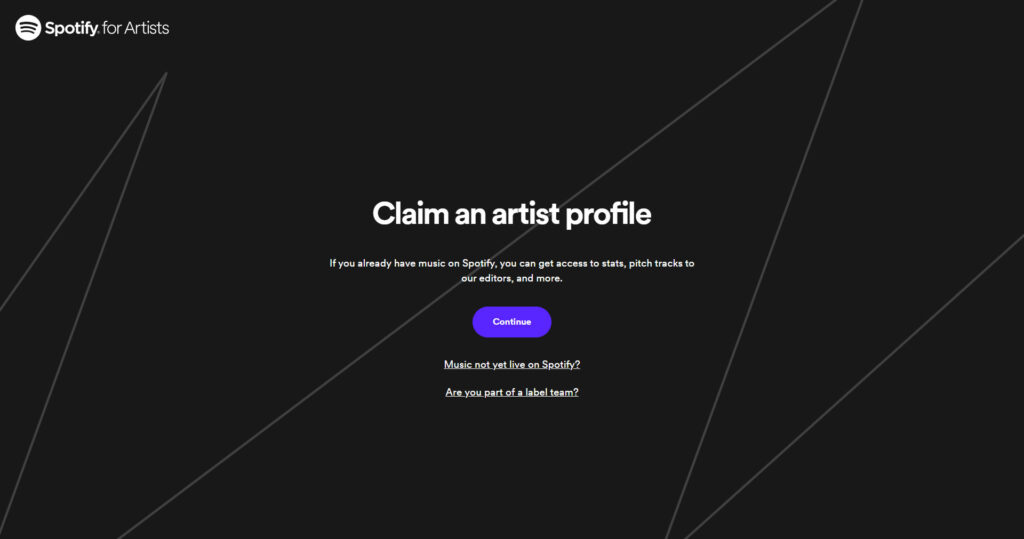
You will then reach a page with a search field. Enter the artist name you used with your aggregator. Spotify will automatically show you a list where you can find your artist profile. Select the artist name you want to claim and you will be taken to the next screen.
Here, you will be asked to sign in using your online distributor's login details or verify your identity by linking your social media accounts. After that, your verification request is complete! Be patient while Spotify checks with your distributor that you really are the artist who uploaded the music. If so, you are now a verified artist! This can take one or two days.